
Usage
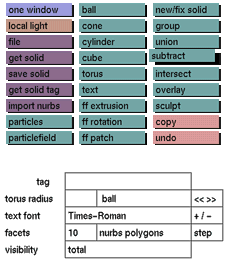
Click the subtract toggle button to activate it. A solid (e.g. ball)
can
now be selected to subtract it from the currently active part of
the tree.
The new selected solid will be placed at the right side of the currently
active part of the tree.
Comments
The main reason for using a subtraction is to make holes in or cut
parts
away from existing objects.
One of the following functions has to be activated in order to deactivate
subtract: new/fix solid, union, group, intersect or overlay.
This function can be used in combination with the following buttons: ball, cone, cylinder, cube, torus, text, ff extrusion, ff rotation, ff patch, get solid, import nurbs, particles, particlefield and spline-skin.
The example shows a cube from which a cylinder is subtracted. Please
note
that it is possible to animate objects created by subtraction in
the same
way as any other object.
See also
undo, new/fix solid, group, union, intersect, overlay.
Example
A cube from which a cylinder is subtracted equals a cube with a hole
in it.


