GIG reference manual

the sculptor solid construct menu

____________________________________________________________________________________

Section contents

sculpt

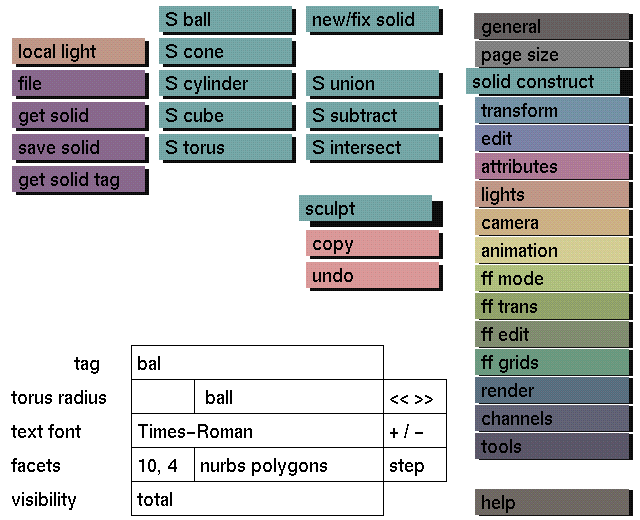
sculpt will activate the Solid construct Sculptor menu. Deactivate sculpt to return to the original solid construct menu.

S primitives

With sculpt active the following primitives can be used:
The 'S' stands for Sculptor and means that these primitives will blend with other S primitives when using S operations.

The 'B' stands for Bevelled edges and means that these primitives will respond to the bevel parameters from the edit sculpt menu.

S operations

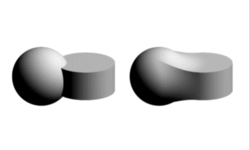
The following S operations are available to blend S primitives (see examples): Modeling with Sculptor
Modeling is the same as when using normal primitives and Boolean operations:
(to create a new model, first select new/fix solid, then the S primitive).

Normal solids and Boolean operations

Normal solids can be combined with S primitives using the normal Boolean operations. Normal Boolean operations should be used only above S operations in a part of the tree built with S primitives. This way it is also possible to combine two models built with S primitives using the normal Boolean operations. The two models then will not blend with one another.

Note:

Do not use S operations with normal solids (primitives, free forms, , polygons).
Do not use normal Boolean operations below S operations in a part of the tree built with S primitives.

Examples

union and S union of a ball with a
cylinder.

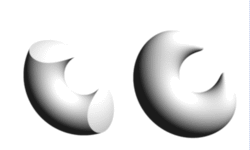
subtraction and S subtraction of a
cylinder from a ball.

intersection and S intersection of a
torus with a ball.

See also edit menu, edit sculpt for: