
Usage
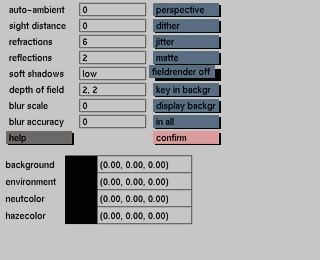
The scanlines in each frame will be alternatingly computed at the time indicated by the frame, or half a frame later. If displayed on video, first one set of scanlines is displayed, then the other a moment later. By default the odd lines are computed at time 'frame' and the even lines at 'frame + 0.5'. Click the button again to do the even lines first. In the worst case, field rendering can double your rendering time.
Comments
This button is not available if parametric raytracing is on. Field rendering is generally used only for the final rendering . It is not possible to set field rendering on or off for individual objects.
Field rendering affects transformations of solids, cameras (zoom and pan), light sources, polygons, Iso-surfaces, and Particle Systems. Shape animation of Iso-surfaces is properly handled with this function, but it does not affect the animation of individual control points of freeforms, nurbs, particles, nor the animation of maps. It is recommended that the user test both settings with a simple animation before rendering for actual production. Combination with motion blur is possible.


