
Usage
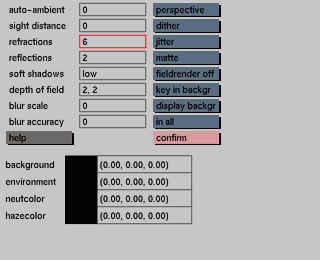
The transparency depth is a value that indicates how often a ray from the raytracer can pass through a transparent surface before it stops and uses the neutral color to fill in the missing information. The default value for the transparency depth is 6, which means that the ray from the raytracer can pass through eight surface changes and will stop at the 7th surface change. An object you want to be transparent should be set to a minimum of two surface changes to enable the ray to enter and also exit the object. If a value of zero is entered, the value for the reflections will change to zero as well.


